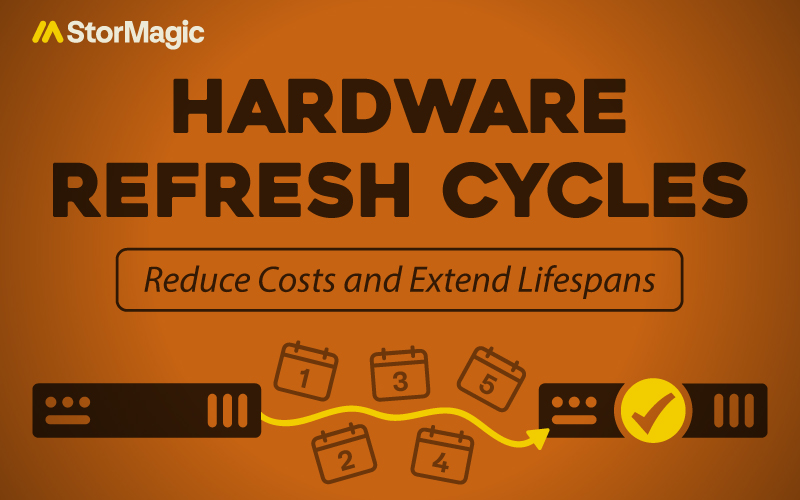
Hardware refresh cycles shouldn’t overwhelm your IT strategy. And yet many organizations find themselves locked into expensive 3-to-5 year replacement schedules, replacing parts of their functional IT infrastructure simply because “that’s when refreshes happen.”
But there are a few ways to extend the lifespan of your hardware and reduce costs over time, too. And now, due to rising memory costs, it’s especially timely to reassess. With the right choices, your existing hardware can continue supporting workloads well beyond traditional refresh timelines.
Let’s explore why and how to improve them.
Why It’s The Right Time to Focus on Hardware Refresh Cycles
From late 2025, memory (RAM) prices have seen significant increases. Memory prices rose by 80%-90% quarter on quarter (QoQ) in Q1 2026, marking record highs. This is due to market changes, like increased demand for artificial intelligence (AI) platforms and applications.
AI systems require higher-capacity memory, increasing demand and putting strain on other areas of the market. There’s currently a significant reallocation of manufacturing capacity away from consumer electronics toward high-margin memory solutions to support AI. It’s also bled into other components, such as storage and GPUs, because it has reduced the supply of general-purpose memory modules.
So what does this mean for your hardware refresh cycles? Well, it means it’s an apt time to look at how you can optimize what you use, how you use it, and whether you can reduce what you need to ‘refresh’.
How to Reduce Costs
Find ways to save, not spend. The upfront cost of new, higher-specification hardware isn’t the only finance you’ll have to pay. In fact, over the course of an IT investment’s useful lifespan and its ultimate disposal, you’ll have to support the costs of maintaining and recycling it, too.
So, do you get better value for money by focusing on what you already own? In some cases, yes.
Using your existing servers or reusing spare hardware enables you to avoid the cost of new hardware. It also means that you’re maximizing the use and lifespan of what you’ve already paid for.
Think of it like a car. You’ve had your current car for a while, it’s working fine, but you’ve been hearing about the next latest and greatest model. It might feel like time to “upgrade”, but you will have to get rid of your old one, and then pay an upfront cost to secure the new car. But there was nothing wrong with your old car; it took you where you needed to go, and it was affordable to run.
You also aren’t necessarily going to buy a new car and keep your old one. It’s impractical to have the old car and a new car sitting side by side, and you’re likely to gravitate towards the flashier version. And that’s now two separate expenses parked outside your house. This is a common expense trap mirrored in both our personal lives and IT departments. Best avoid!
If there’s no trouble with your existing hardware, keep it, especially in today’s market. Lowering the total cost of ownership (TCO) of any asset is a key goal for any good IT department, so if the hardware is still suitable and can still do the job required, there’s no negative to sticking with it. You can frame this to senior leadership as a method of maximizing return on investment (ROI) for hardware you’ve already paid for.
How to Improve the Longevity of Your Hardware
We know it’s not always as easy as “just don’t buy new hardware”. Hardware refreshes are inevitable within any ever-changing organization.
Using hardware for longer than you initially intended means it won’t keep up with the demands of change. From applications, workloads, and data, you need a method of staying ahead in your IT department and not falling behind.
To overcome this, you can deploy an underlying software that enables your hardware to have a longer shelf life.
For example, virtualization software abstracts applications and workloads from the underlying hardware, which reduces direct dependence on specific physical devices. This means there’s more flexibility. You might be able to make use of hardware that you’d thought wasn’t useful anymore, thanks to new software solutions.
With this, you’ll extend hardware life cycles, consolidate workloads onto fewer systems, and decrease the frequency of large-scale hardware replacements. Repurpose old or underutilized systems by selecting software flexible enough to run on lower specifications, rather than retiring hardware that still has useful life left.
Importantly, choose lightweight software. You don’t want it using 50% of your server RAM, or installing software updates that increase in size every few months. Look for low system requirements that mean you can easily predict and plan for the future. You should also prioritize software that gives you choices, the more flexibility you have of your underlying platform, the more options you have to plan for the future, scale, adapt, and extend your infrastructure on your own terms.
What to Consider If You Need a Hardware Refresh
- Phase Hardware Replacement: Upgrade and modernize software first, then assess what existing hardware can still work for you, and only refresh what you really need to. This approach distributes capital spending over time.
- Prioritize Hardware-agnostic Software: Select software that runs on industry-standard x86 servers from multiple vendors. This flexibility allows you to optimize for cost, performance, and support.
- Standardize Server Platforms: In the long-term, when hardware refresh cycles become inevitable, adopt consistent server models across edge sites when you refresh hardware. Standardization simplifies support, reduces spare parts inventory, and accelerates new site deployment.
- Minimize Your Resource Footprint: Choose virtualization software with a minimal resource footprint so your underlying hardware retains as much headroom as possible for your actual workloads.
- Size your Software Requirements: Measure against your hardware capacity. If your servers have 128GB of RAM, make sure your virtualization layer consumes only a small fraction of it before you start spinning up VMs.
- Plan Ahead: Select solutions with modest, stable specifications, so you avoid forced hardware upgrades or full rip-and-replace scenarios down the line.
- Use Tiering and Caching Technologies: Use this to get the most out of your existing storage hardware and extend its useful life.
- RAID Features: Deploy features that suit your specific environment. In edge computing environments, use metro/stretched clusters for resiliency or software RAID to run edge-specific hardware without needing a hardware RAID controller.
Modernize Your IT and Reduce Hardware Refresh Headaches
Hardware refresh cycles do not have to disrupt your operations or strain your budget. When you modernize your IT strategy, you gain more control over your infrastructure and fewer surprises along the way. Virtualization software helps you run more workloads on fewer physical systems, manage updates remotely, and extend the value of the hardware you already own. Instead of coordinating large, high-risk refresh projects across every site, you can plan upgrades in a way that fits your business timeline.