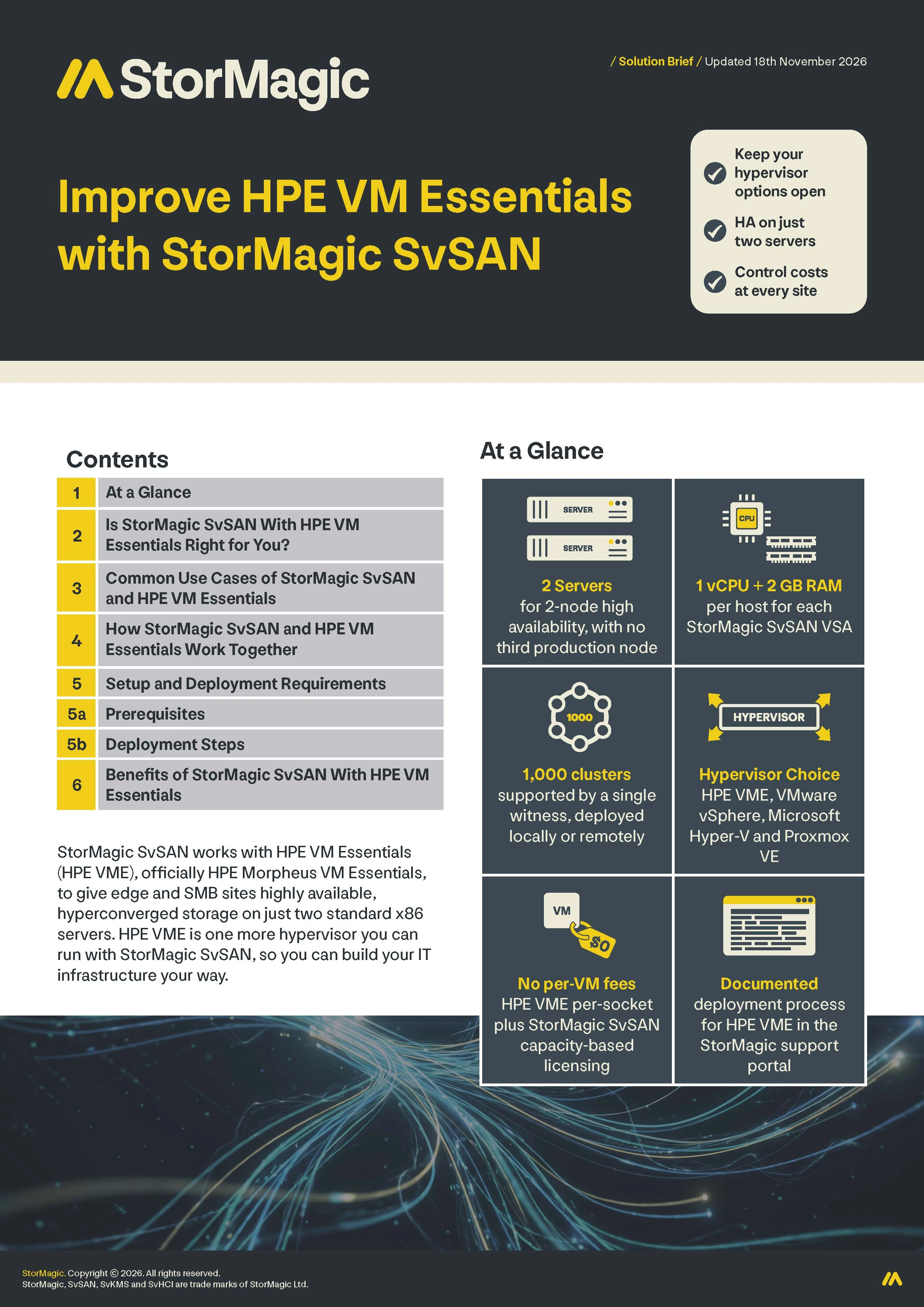
StorMagic SvSAN works with HPE VM Essentials (HPE VME), officially HPE Morpheus VM Essentials, to give edge and SMB sites highly available, hyperconverged storage on just two standard x86 servers. HPE VME is one more hypervisor you can run with StorMagic SvSAN, so you can build your IT infrastructure your way.
1. At a Glance
- 2 servers for 2-node high availability, with no third production node
- 1 vCPU + 2 GB RAM per host for each StorMagic SvSAN VSA
- 1,000 clusters supported by a single witness, deployed locally or remotely
- Hypervisor choice: HPE VME, VMware vSphere, Microsoft Hyper-V and Proxmox VE
- No per-VM fees: HPE VME per-socket plus StorMagic SvSAN capacity-based licensing
- Documented deployment process for HPE VME in the StorMagic support portal
2. Is StorMagic SvSAN With HPE VM Essentials Right for You?
StorMagic SvSAN with HPE VM Essentials is a strong fit if you run HPE VME at edge or SMB sites and need high availability on two servers, without data center-class infrastructure. The table below shows where it fits best.
| If You… | Consider | Why |
| Are adopting HPE VME and need shared storage for HA at edge or SMB sites | StorMagic SvSAN on two HPE VME hosts | 2-node HA with no third production node or specialist hardware |
| Are moving from VMware and want to keep HA architecture | StorMagic SvSAN with HPE VME | Get the a more lightweight design than VMware or Hyper-V clusters |
| Run many small sites with limited space, power and budget | StorMagic SvSAN with HPE VME at each site, with one shared witness | Low resource requirements, and one witness for up to 1,000 clusters |
| Want to choose your own servers and hypervisor | StorMagic SvSAN on standard x86 hardware | Works with HPE VME, VMware vSphere, Microsoft Hyper-V and Proxmox VE |
3. Common Use Cases of StorMagic SvSAN and HPE VM Essentials
Organizations adopting HPE VME
That want highly available shared storage on the hardware they choose.
Remote and branch sites
Such as retail stores, factories and clinics, where workloads must keep running with little or no IT staff on site.
Multi-site rollouts
Where per-site costs multiply across tens or hundreds of locations.
Mixed-hypervisor estates
Where some sites run VMware, Hyper-V or Proxmox VE and others run HPE VME.
HPE partners, resellers and MSPs
Building cost-effective HA packages for edge and SMB customers, with straightforward licensing to quote and resell.
4. How StorMagic SvSAN and HPE VM Essentials Work Together
StorMagic SvSAN works with HPE VM Essentials by adding highly available shared storage to HPE VME clusters. StorMagic SvSAN runs as a lightweight Virtual Storage Appliance (VSA) on VME and presents highly available shared block storage, which is formatted by VME with its clustered file system, Global File System 2 (GFS2). VME then stores virtual machine (VM) disks on GFS2 as QEMU Copy-On-Write version 2 (QCOW2) images. It’s the same model SvSAN uses with every hypervisor it supports: SvSAN provides the storage, and the hypervisor adds its own file system. SvSAN needs no code changes to work with VME. It’s the same software, whatever hypervisor you run.
StorMagic SvSAN is designed so that if one server goes offline, the other keeps serving data and your virtual machines can stay available. A lightweight witness, which can run locally or remotely, provides quorum from outside the data path.
HPE VME brings a KVM-based hypervisor with per-socket licensing that runs on HPE and third-party hardware. StorMagic SvSAN brings 2-node high availability with capacity-based licensing and minimal resource requirements. Together, they give edge and SMB sites hyperconverged infrastructure that is purpose-built for your needs.
5. Setup and Deployment Requirements
StorMagic SvSAN is compatible and interoperable with HPE VME. StorMagic has tested it with HPE VME and documented the process in a deployment guide, available in the StorMagic support portal.
5a. Prerequisites
| Component | Requirement |
| HPE VME | Two x86 servers that meet HPE’s hardware requirements for HPE VM Essentials. Click here to see HPE’s requirements. |
| StorMagic SvSAN | 1 vCPU (2 GHz or higher, reserved) and 2 GB of RAM per host for each StorMagic SvSAN VSA, plus a local or remote host for the witness. Click here to see the StorMagic SvSAN data sheet. |
5b. Deployment Steps
1. Install the hypervisor on each host
Install HPE HVM, HPE’s KVM-based hypervisor, on both servers, then set up the management network, storage, and time sync. Finish by updating the hpe-vm package from the install bundle.
2. Deploy the VME Manager
Run the hpe-vm tool on one host to deploy the VME Manager appliance. Then finish the setup wizard in the web UI and create a group and a cloud for your environment.
3. Install and configure the worker
Install the VME worker software on a separate Ubuntu 24.04 server and register it with the VME Manager using an API key.
4. Create the HPE HVM cluster
In the VME Manager, add both hosts, choose the management interface, set the power policy to high performance, and assign the worker as the witness. Before you start, make sure every host and the worker can resolve the others by hostname.
5. Prepare host networking for SvSAN
Set up the dedicated iSCSI and mirror networks on each host with netplan or the hpe-vm tool, using jumbo frames (MTU 9000) and VLANs. Then create matching libvirt bridges with spanning tree disabled.
6. Deploy the SvSAN virtual storage appliances (VSAs)
Upload the SvSAN OVA to the VME image library and deploy a VSA on each host, set to start automatically. Then pass the local storage through to it, finish SvSAN setup in its web UI (license, networking, NTP), and create a storage pool.
7. Create the shared datastore
Create a mirrored iSCSI target across both VSAs with a StorMagic witness, add the VSA iSCSI addresses to the VME cluster, and add each host’s initiator to the target’s access control list (ACL). After you configure multipath I/O (MPIO) and log the hosts in to the target, create an HPE Clustered Datastore (GFS2) on the shared volume in the VME Manager.
8. Configure high availability (HA)
Install StorMagic’s recovery services on each host. After an outage, hosts wait for the SvSAN storage paths before they mount GFS2 and start the VME Manager, and every path comes back on its own when a VSA returns. Then convert the VME Manager to a managed VM, move it onto the GFS2 datastore, and test live migration.
9. Deploy guest VMs
Upload your OS images to the VME library and provision instances on the SvSAN-backed datastore. Install guest tools and then the VME agent on each VM.
6. Benefits of StorMagic SvSAN With HPE VM Essentials
- Hypervisor choice: Run StorMagic SvSAN on standard x86 servers from the vendor you prefer, with HPE VME or another hypervisor, and keep the same storage layer across sites.
- No architectural compromise: Build the infrastructure that fits each site, instead of reshaping it around one vendor’s requirements.
- Two servers, not three: Provide high availability without buying a third production node for every site.
- Lightweight footprint: Leave more CPU and memory for workloads, so you can use smaller servers where space and power are limited. Each StorMagic SvSAN VSA needs just 1 vCPU (2 GHz or higher, reserved) and 2 GB of RAM per host.
- Centralized quorum at scale: Use one witness for up to 1,000 clusters, deployed locally or remotely.
- Predictable licensing: Combine HPE VME’s per-socket model with StorMagic SvSAN’s capacity-based model, with no hidden fees or per-VM charges.